


Beat Maker Pro - Drum Pad
3.944.00 Reviews
App Specs
- Version
- 1.0.4
- Updated On
- License
- Free
- Downloads
- 5,000,000+
- Developer
- Momcenter
- Categories
- Music & Audio
- Platform
- Android
Screenshots
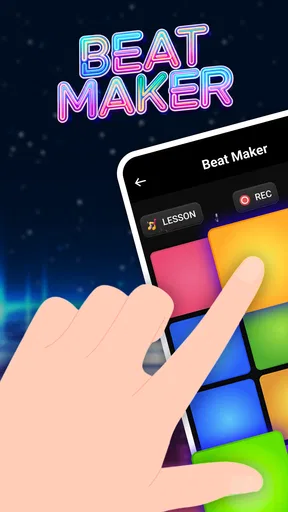
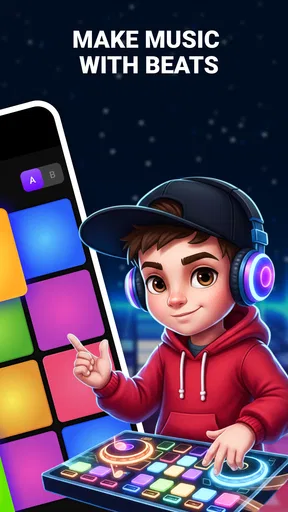
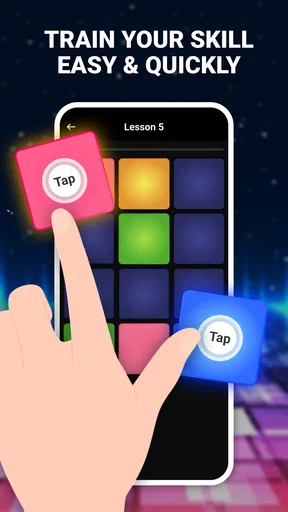
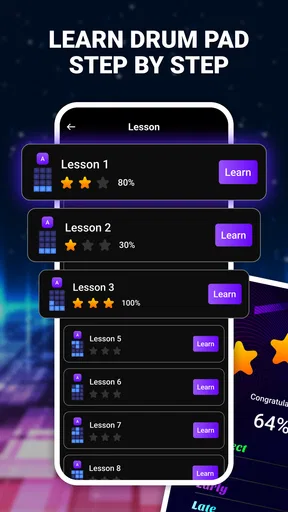
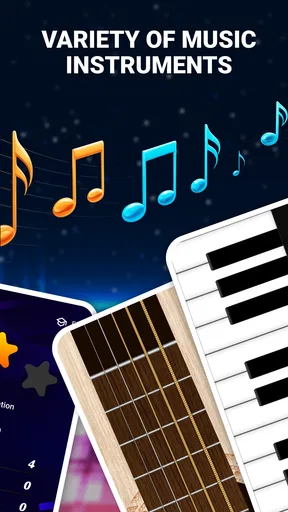
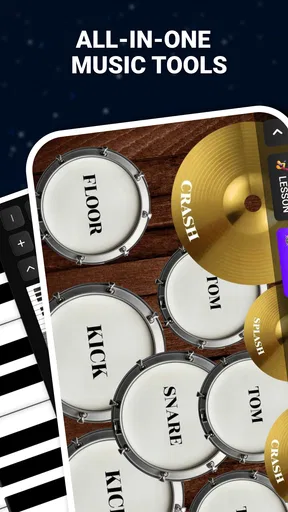
 Analysis by AppCompare
When I want to sketch a rhythm without setting up instruments or opening a full production studio, a drum-pad app is an appealing place to start. Beat Maker Pro - Drum Pad is aimed at that quick, hands-on kind of music making: tap, listen, and see whether an idea has enough shape to build on. Its mix of drum pads and beginner-friendly instrument practice makes it more approachable than a traditional digital audio workstation, though I’d treat it as a starting point rather than assume it replaces one.
It is a free music and audio app from Momcenter, with optional in-app purchases ranging from $4.99 to $24.99 per item. The app is rated for Everyone, has a 3.9 average from around 9,900 ratings, and has passed 5 million installs. Those figures suggest it has found a broad audience, but they don’t tell me whether its workflow will suit your style; that comes down to what you want to do with a phone and a beat.
Getting Started with Beat Maker Pro
First things first, downloading and setting up Beat Maker Pro - Drum Pad is a breeze. It's available on both Android and iOS, so no one's left out of the beat-making fun. Once you've got it installed, the app greets you with a clean, intuitive interface that even beginners will find easy to navigate. No need to worry about being overwhelmed right off the bat. The app does a great job of introducing you to its features with a quick tutorial that covers the basics.
As you dive deeper, you'll find that the app is designed to cater to both newbies and seasoned beat makers. This is where it really shines, offering a range of features that allow you to either dabble in creating simple beats or dive into crafting complex tracks. It’s all about hitting those virtual drum pads to unleash your inner DJ!
Exploring the Sound Packs
One of the standout features of Beat Maker Pro is its extensive library of sound packs. These packs are like little bundles of creativity waiting to be unleashed. Whether you're into hip-hop, EDM, or something more eclectic, there's a sound pack that will tickle your fancy. I found myself particularly drawn to the EDM pack — the beats are crisp, the bass is thumping, and it’s just pure fun to play around with.
But it doesn’t just stop there. The app continuously updates its library, so there’s always something fresh to try. This keeps the creative juices flowing and ensures that you never run out of inspiration. Plus, the ability to customize your own kits means you can mix and match sounds to create something uniquely yours.
For a more useful first session, I’d pick one pack and stay with it long enough to learn where its sounds sit on the pads. Switching packs every few minutes can be entertaining, but it makes it harder to judge whether a rhythm works or whether a new set of sounds is simply more exciting. Once a short pattern feels comfortable, try changing one sound at a time. That gives you a clearer sense of how a kit customization affects the character of the beat.
Worth Reading Before You Choose

Flipboard Shows What News Apps Must Do Beyond the Feed

Switching to Android Auto Means Rethinking Your Driving Routine

Google Calendar Makes a Crowded Week Easier to Manage

Ludo King Makes the Most of the Minutes Between Plans

Baby Panda World Brings Quick Play to Modern Phones, but Its Game Library Feels Busy

ESPN’s Live Game View Makes Following Close Games Easier
Features That Stand Out
Aside from the sound packs, Beat Maker Pro offers several features that make it a must-have for anyone interested in music production. The live recording feature is a game-changer. It allows you to record your sessions in real-time, which is perfect for capturing those spontaneous moments of genius. Plus, you can easily share your creations with friends or on social media, making it a great tool for budding artists looking to showcase their talent.
The app also supports MIDI controllers, opening up even more possibilities for serious beat makers. This integration means you can connect external devices and really elevate your music production game. It's impressive how a mobile app can offer such professional-grade features.
That controller support makes the app more interesting for someone who already has a small MIDI keyboard or pad controller, but I wouldn’t buy extra gear just for it before checking how the connection behaves on your own device. A phone’s screen is fine for casual tapping; a controller can make repeated patterns feel more deliberate and reduce accidental presses. The trade-off is portability: once you add hardware, you lose some of the grab-it-and-play simplicity that makes a mobile drum pad attractive.
Recording is most useful when I treat it as a scratchpad rather than a finished-song promise. If a groove appears while I’m waiting for a ride or taking a break, capturing the performance gives me something to revisit instead of relying on memory. I’d listen back before sharing, especially if the playing was improvised: a take that feels exciting in the moment may have uneven timing or a few extra taps. That small check helps keep a quick sketch from being mistaken for a polished track.
Learning and Growing
Not only does Beat Maker Pro let you create, but it also helps you learn. The app includes a range of tutorials and exercises designed to improve your skills. Whether you're learning how to layer beats or mastering the art of rhythm, these tutorials are accessible and informative. I found them incredibly helpful, especially when I hit a creative block.
The community aspect is another highlight. You can engage with other users, share tips, and even collaborate on projects. It feels like being part of a vibrant community where everyone's cheering each other on. This support network can be invaluable, especially for those just starting out.
Who Will Get the Most from It
I’d recommend this kind of setup to a beginner who wants to understand rhythm by doing rather than reading, or to a curious musician who needs a low-pressure place to try patterns. The advertised combination of drum pads with guitar and piano practice is a useful invitation to explore more than percussion, particularly if you’re still figuring out which part of making music you enjoy. It is also well suited to short, playful sessions: make a loop idea, test a different sound, and move on without turning a hobby moment into a full production task.
Imagine you have ten minutes before dinner and a melody stuck in your head. You can open the app, tap out a basic pulse, and use a recording to keep the rough idea for later. That is a realistic strength: it makes experimentation feel immediate. For a beginner, I’d focus on a simple rhythm first, then add or swap one sound; changing several things at once makes it difficult to tell what improved the result.
On the other hand, if you need precise editing, detailed arrangement, or a dependable path from a sketch to a finished release, I’d choose a full mobile DAW instead. Those tools usually ask more of you up front, but their deeper timeline and mixing workflows are better suited to careful production. A dedicated instrument-learning app may also be a better fit if your main goal is structured guitar or piano study rather than beat play. The choice is less about which app is universally better and more about whether you want immediate tactile play or more control over a complete project.
Where the Workflow Can Fall Short
There is a practical difference between having a library of sounds and having the exact sound you need for a specific track. A selection of packs can encourage exploration, but it can also steer a beginner toward choosing sounds by novelty rather than by how well they work together. I’d treat kit customization as a way to make a rough idea more coherent, not as a substitute for arrangement or mixing decisions.
There is also a learning curve hidden inside the easy first tap. Keeping a rhythm steady while triggering multiple pads takes practice, and a touchscreen is less forgiving than physical pads if your fingers land imprecisely. If that becomes frustrating, start with a slower, simpler pattern and build consistency before trying dense fills. A controller may help if you already own one, but it adds equipment and setup rather than solving every musical decision for you.
The app is free to start, but optional purchases matter if you expect to explore beyond what is available without paying. Since individual items are listed in a $4.99–$24.99 range, I’d spend time with the free experience before deciding whether any paid content is worth it to me. The best test is specific: do the sounds or tools you actually want require a purchase, and will they help you finish an idea you care about? That is a better reason to spend than the vague feeling that more packs must automatically mean better music.
One question a new user may have is whether this is suitable without musical experience. I think the pad-based approach makes it approachable, and the tutorials and exercises give beginners a route into rhythm. Still, accessibility is not the same as instant mastery. Expect to experiment, listen back, and repeat patterns; if you want lessons organized around a particular instrument, a dedicated teaching app could offer a more focused path.
Another sensible question is whether a recording can serve as a finished track. I’d use the live recording first to preserve a performance or share a quick idea. If your goal is a carefully arranged song, compare the result with what you need before relying on it as your only production tool. Likewise, the presence of sharing and community features may help you exchange ideas, but it doesn’t mean every casual recording is ready for an audience. A quick listen on headphones can reveal timing or sound combinations that are easy to miss while tapping.
A New Version, Without Overpromising
The current release is version 1.0.4, and the app’s release date is December 12, 2025. That gives a useful snapshot of its present stage, but a version number by itself does not tell me how the experience has changed over time. I would not assume that a specific feature is new, improved, or newly available just from that number. For someone already using it, the sensible approach is to judge the version they have by the tools and sounds they can actually access, rather than expecting a particular change.
That distinction matters because a music app’s appeal can shift as its library and learning material evolve. If you’re considering returning after a break, take a few minutes to check whether the available packs and exercises still match what you want to practice. If you’re a new user, focus first on whether the current pad layout and recording flow suit your habits. Future changes could make the app more useful, but I’d treat that as a possibility, not a reason to choose it today.
The Final Beat
After spending some quality time with Beat Maker Pro - Drum Pad, I can confidently say that it's a fantastic app for anyone interested in music production. Whether you're a total newbie or a seasoned pro, there's something here for everyone. From its easy-to-use interface to its robust feature set, it’s clear that the developers put a lot of thought into making this app accessible and fun.
So, if you're ready to unleash your inner DJ and start creating some killer beats, this app is definitely worth checking out. Grab your headphones, load up your favorite sound pack, and let the beat-making magic begin!
My more measured recommendation is to try it if you want a friendly way to play with rhythm, keep a spontaneous idea, or explore beginner-level music making on a phone. I’d skip it as my main tool if I needed deep control over a complete production, or if I wanted a structured course focused on one instrument. The app’s average rating is 3.9, which is a useful reminder that a broad audience does not guarantee a perfect fit for every workflow. For me, its strongest role is a portable creative sketchbook: valuable when it gets an idea moving, less convincing when I expect it to replace a dedicated studio setup.
Pros
- User-friendly interface for easy navigation.
- Wide variety of sound packs available.
- High-quality audio output.
- Customizable drum pads for personal use.
- Supports multi-track recording for complex beats.
Cons
- In-app purchases can be pricey.
- Ads can be intrusive during use.
- Limited free sound packs available.
- Requires internet for some features.
- Occasional lag on older devices.
FAQs for Beat Maker Pro - Drum Pad
What features does Beat Maker Pro - Drum Pad offer?
Beat Maker Pro offers a range of features designed for both beginners and experienced musicians. Users can access hundreds of sound packs, create custom beats, and utilize professional-grade audio effects. The app also includes tutorials and a metronome to help perfect your rhythm, making it a versatile tool for music creation.
Is Beat Maker Pro suitable for beginners?
Yes, Beat Maker Pro is designed with beginners in mind. It includes easy-to-follow tutorials that guide new users through the basics of beat making. The intuitive interface and preloaded sound packs make it simple to start creating music without prior experience, ensuring anyone can jump right in and start producing.
Can I use Beat Maker Pro for live performances?
Absolutely, Beat Maker Pro can be used for live performances. The app features a responsive drum pad interface suitable for real-time music production. Its high-quality sound packs and customizable settings make it a reliable choice for live performances, allowing musicians to engage their audience with dynamic beats.
Does Beat Maker Pro support collaboration with other musicians?
Beat Maker Pro supports collaboration by allowing users to export their beats and share them with others. While the app itself does not have direct collaboration features, its compatibility with other music production tools and platforms makes it easy to collaborate on projects with fellow musicians.
What are the system requirements for Beat Maker Pro?
Beat Maker Pro requires a device running on Android 5.0 or higher, or iOS 11.0 or later. It is optimized for both smartphones and tablets, ensuring smooth performance across different devices. Adequate storage space is also recommended to accommodate the app and additional sound packs for an optimal experience.


